
Le livre Top Notch 2B - Unité 9 - Leçon 1

Ici, vous trouverez le vocabulaire de l'Unité 9 - Leçon 1 du manuel Top Notch 2B, comme "commande", "barre d'outils", "menu déroulant", etc.

review-disable

Réviser

flashcard-disable

Flashcards

spelling-disable

Orthographe

quiz-disable

Quiz

Commencer à apprendre
Le livre Top Notch 2B
اجرا کردن

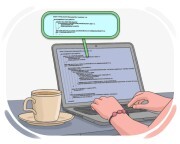
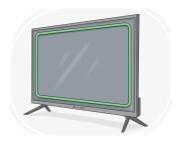
écran d'ordinateur

Ex: The computer screen flickered when the program crashed .

L'écran d'ordinateur a clignoté lorsque le programme a planté.
اجرا کردن

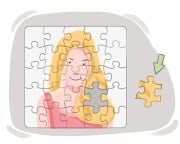
pièce

Ex: The motherboard is a key component of a computer .

La carte mère est un composant clé d'un ordinateur.

command [nom]
اجرا کردن

commande

Ex: She entered the command to save the document before closing the application .

Elle a entré la commande pour sauvegarder le document avant de fermer l'application.

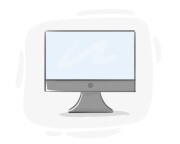
monitor [nom]
اجرا کردن

écran

Ex: I prefer a large monitor for graphic design work .

Je préfère un grand écran pour le travail de conception graphique.

screen [nom]
اجرا کردن

écran

Ex: During the presentation , the speaker shared his screen with the audience .

Pendant la présentation, l'orateur a partagé son écran avec le public.

mouse [nom]
اجرا کردن

souris

Ex: He scrolled down the webpage using the scroll wheel on the mouse .

Il a fait défiler la page web vers le bas en utilisant la molette de défilement de la souris.

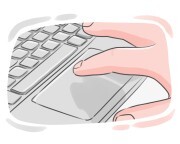
اجرا کردن

pavé tactile

Ex: She used the touchpad to navigate the webpage .

Elle a utilisé le pavé tactile pour naviguer sur la page web.

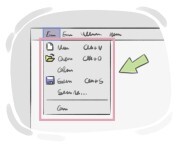
اجرا کردن

menu déroulant

Ex: The pull-down list shows all available colors for the design.

La liste déroulante affiche toutes les couleurs disponibles pour le design.

اجرا کردن

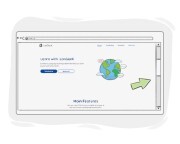
barre de défilement

Ex: The scroll bar on the side of the page makes it easier to navigate .

La barre de défilement sur le côté de la page facilite la navigation.

cursor [nom]
اجرا کردن

curseur

Ex: Move the cursor to the desired location and click to select .

Déplacez le curseur vers l'emplacement souhaité et cliquez pour sélectionner.