pattern

Applied Science and Research - Using a Computer

Study terms related to computer interfaces, keyboard functions, file operations, system startup, navigation, data transfer, printing, and display settings.

Обзор

Флэш-карточки

формы

Правописание

Тест

Начать учиться
Words Related to Applied Science and Research
desktop
desktop
[существительное]

an area on a computer where the icons of programs are displayed

рабочий стол

рабочий стол

Ex: The file shortcut is saved on the desktop. 
Закрыть
Войти
clipboard
clipboard
[существительное]

(computing) a temporary storage area for data that has been copied or cut

буфер обмена

буфер обмена

Ex: She copied the text to the clipboard for easy pasting. 
Закрыть
Войти
document
document
[существительное]

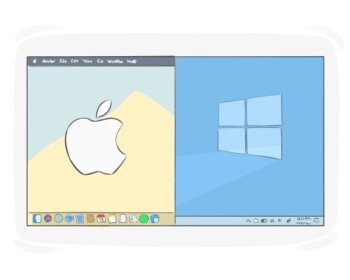
a piece of written work that has a name and is stored on a computer

документ
документ

Ex: I need to create a new document for my school project. 
Закрыть
Войти
window
window
[существительное]

an area on a computer screen that looks like a frame displaying the operation of a specific program

окно

окно

Ex: She opened a new window to check her email while browsing the web. 
Закрыть
Войти
wallpaper
wallpaper
[существительное]

a background image or pattern on a computer or mobile screen
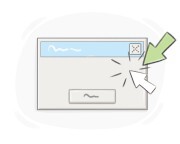
Ex: She changed her wallpaper to a photo of the mountains. 
Закрыть
Войти
cursor
cursor
[существительное]

a movable mark on a computer screen that indicates where the user is working

курсор

курсор

Ex: Move the cursor to the desired location and click to select. 
Закрыть
Войти
status bar
status bar
[существительное]

(computing) a bar at the bottom of a screen that displays information about the current program or document

Ex: The status bar showed the word count of the open document. 
Закрыть
Войти
taskbar
taskbar
[существительное]

a narrow screen area providing quick access to current or favorite applications

Ex: She pinned her most-used apps to the taskbar for easy access. 
Закрыть
Войти
shift
shift
[существительное]

the key on a typewriter or keyboard that changes lowercase letters to uppercase and provides access to special characters

клавиша shift, клавиша переключения регистра

клавиша shift, клавиша переключения регистра

Ex: She used the shift key to type the capital letters in her name. 
Закрыть
Войти
escape key
escape key
[существительное]

a key on a computer keyboard used to exit or cancel a function, close a window, or return to a previous screen

клавиша выхода, клавиша Esc

клавиша выхода, клавиша Esc

Ex: Press the escape key to exit full-screen mode. 
Закрыть
Войти
backspace
backspace
[существительное]

(in a computer, phone, etc.) a key on the keyboard used to erase the last letter or go backward

клавиша

клавиша

Закрыть
Войти
space bar
space bar
[существительное]

the long horizontal key on a keyboard that inserts a space between characters
Ex: She pressed the space bar to separate the words in the sentence. 
Закрыть
Войти
to boot
to boot
[глагол]

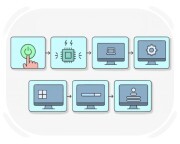
to start a computer, typically involves setting up hardware elements to prepare the computer for use

загружаться
загружаться

Ex: She booted her laptop, eager to dive into her latest writing project. 
Закрыть
Войти
to reboot
to reboot
[глагол]

to cause a computer system to load, especially immediately after it has been turned off

перезагружать
перезагружать

Ex: He rebooted the computer to fix the software glitch. 
Закрыть
Войти
display
display
[существительное]

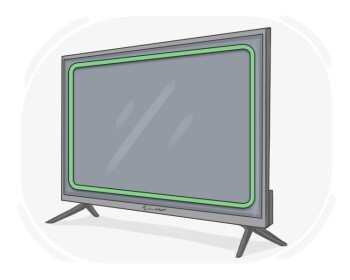
an electronic device that visually presents data

дисплей
дисплей

Ex: The store had a wide selection of displays, ranging from high-definition monitors to large-screen televisions. 
Закрыть
Войти
to download
to download
[глагол]

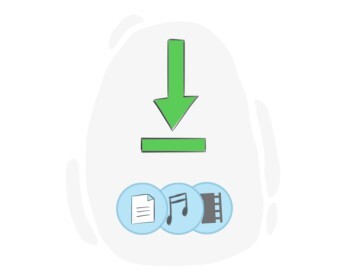
to add data to a computer from the Internet or another computer

скачать, загружать

скачать, загружать

Ex: She downloaded the app to keep track of her daily activities. 
Закрыть
Войти
to drag
to drag
[глагол]

to move a piece of computer data, such as an image, across a computer or smartphone screen using the mouse or a finger

перетаскивать, тянуть

перетаскивать, тянуть

Ex: To rearrange the icons on the desktop, simply click and drag them to your desired positions. 
Закрыть
Войти
drag-and-drop
drag-and-drop
[прилагательное]

relating to moving items on a screen by clicking and dragging with a mouse

Ex: The drag-and-drop interface made organizing files simple. 
Закрыть
Войти
to import
to import
[глагол]

(computing) to put data into another computer program

импортировать

импортировать

Ex: The software allowed users to import data from spreadsheets into the database for analysis. 
Закрыть
Войти
to export
to export
[глагол]

to make a file able to be processed in other programs by changing its format and sending it

экспортировать

экспортировать

Ex: The spreadsheet software allows users to export data into various file formats such as CSV or Excel. 
Закрыть
Войти
to format
to format
[глагол]

(computing) to prepare a storage device, such as a hard drive or USB, for use by deleting all the data on it and setting it up for a specific file system

форматировать

форматировать

Ex: I need to format my external hard drive before transferring files to it. 
Закрыть
Войти
input
input
[существительное]

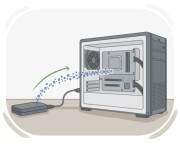
(computing) the act of inserting information into a computer

ввод данные
ввод данные

Ex: The user typed text into the computer, providing input that the word processor used to create a document. 
Закрыть
Войти
to load
to load
[глагол]

to move data or a program from a local storage device into the memory of a computer

загрузить

загрузить

Ex: The software engineer needs to load the updated application into the server for testing. 
Закрыть
Войти
menu
menu
[существительное]

a list of options presented on the computer screen for the user to choose from

меню (информатика)

меню (информатика)

Ex: Click the menu to see all the available options. 
Закрыть
Войти
pop-up
pop-up
[существительное]

a window that appears suddenly on top of the current screen, often used to display advertising or notifications

всплывающее окно
всплывающее окно

Ex: She installed an ad blocker to reduce the number of pop-up ads while browsing the internet. 
Закрыть
Войти
to print
to print
[глагол]

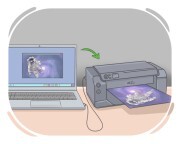
to make words, pictures, or anything else on something such as a piece of paper using ink and a special device called printer

напечатать

напечатать

Ex: I printed the document on a piece of paper so I could review it later. 
Закрыть
Войти
to refresh
to refresh
[глагол]

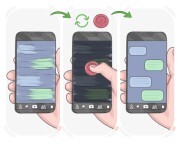
(computing) to update a display, internet page, etc. and make the most recent information appear

обновлять

обновлять

Ex: You need to refresh the browser to view the updated content. 
Закрыть
Войти
to reload
to reload
[глагол]

to load data or a program into computer memory again

Ex: She had to reload the page after the connection timed out. 
Закрыть
Войти
to run
to run
[глагол]

(of computer programs) to function and execute its tasks

работать
работать

Ex: The computer system administrator scheduled the maintenance task to run during off-peak hours. 
Закрыть
Войти
to scan
to scan
[глагол]

(of a computer program) to examine applications or digital files in order to detect any viruses or malware

сканировать

сканировать

Ex: The antivirus software scanned the entire hard drive for any signs of malicious software. 
Закрыть
Войти
to scroll
to scroll
[глагол]

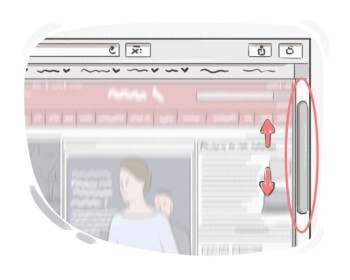
to move what is being displayed on a computer or smartphone screen up or down to see different parts of it

прокрутить

прокрутить

Ex: He scrolled down the webpage to read the full article. 
Закрыть
Войти
LanGeek
Скачать приложение LanGeek