
pattern

B2 Level Wordlist - Computers and Networks

Here you will learn some English words about computers and networks, such as "database", "bug", "code", etc. prepared for B2 learners.

Review

Flashcards

Forms

Spelling

Quiz

Start learning
CEFR B2 Vocabulary
animation
animation
[noun]

the act or process of making animated programs, cartoons, etc.

Ex: The animation workshop provided hands-on experience in creating and editing animated sequences. 
Close
Sign in
artificial intelligence

a field of science that deals with creating programs able to learn or copy human behavior

Ex: This chatbot is powered by advanced artificial intelligence. 
Close
Sign in
virtual
virtual
[Adjective]

(of a place, object, etc.) generated through the use of software

Ex: Virtual reality technology allows users to immerse themselves in simulated environments. 
Close
Sign in
virtual reality

an artificial environment generated by a computer that makes the user think what they are seeing or hearing is real, by using a special headphone and a helmet that displays the generated environment

Ex: Virtual reality allows users to explore immersive 3D worlds. 
Close
Sign in
programming

the process of writing a computer program

Ex: She learned programming to create custom software applications for her business. 
Close
Sign in
bug
bug
[noun]

an error or fault in a computer program, system, etc.
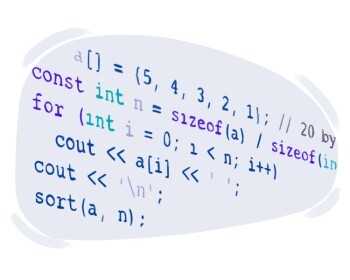
Ex: The software update aimed to fix a bug that caused the application to crash when opening large files. 
Close
Sign in
to code
to code
[Verb]

to write a computer program using specific instructions

Ex: She coded a new software application to automate tasks at work. 
Close
Sign in
command
command
[noun]

an instruction that tells a computer to perform a specific task or function
Ex: She entered the command to save the document before closing the application. 
Close
Sign in
instruction

a line of command that tells a computer what to do

Ex: Each instruction in the program directs the computer to perform a specific task, such as adding numbers or displaying text. 
Close
Sign in
database
database
[noun]

a large structure of data stored in a computer that makes accessing necessary information easier

Ex: The company's customer database contained detailed records of all client interactions and transactions. 
Close
Sign in
file name
file name
[noun]

(computing) the name one assigns to a computer file for identification

Ex: Make sure to choose a descriptive file name that accurately represents the content of your document. 
Close
Sign in
firewall
firewall
[noun]

(computing) a computer program whose task is providing protection against cyber attacks by limiting outside access of data

Ex: The company installed a firewall to prevent hackers from accessing sensitive data on its internal network. 
Close
Sign in
icon
icon
[noun]

(computing) a small picture on a computer screen, etc. representing a program that when clicked will start running

Ex: The desktop icon for the web browser allows users to quickly open the application with a single click. 
Close
Sign in
input
input
[noun]

(computing) the act of inserting information into a computer

Ex: The user typed text into the computer, providing input that the word processor used to create a document. 
Close
Sign in
output
output
[noun]

(computing) the data produced by a computer

Ex: The screen displayed the output from the software, showing the results of the user's calculations. 
Close
Sign in
to crash
to crash
[Verb]

(computing) to suddenly stop working

Ex: The application crashed while he was saving his work, causing him to lose unsaved data. 
Close
Sign in
to hack
to hack
[Verb]

(computing) to illegally access a computer system, network, or online account in order to find, use, or change the information it contains

Ex: Hackers may try to hack into your email account to send spam messages to your contacts. 
Close
Sign in
to import
to import
[Verb]

(computing) to put data into another computer program

Ex: The software allowed users to import data from spreadsheets into the database for analysis. 
Close
Sign in
to export
to export
[Verb]

to make a file able to be processed in other programs by changing its format and sending it
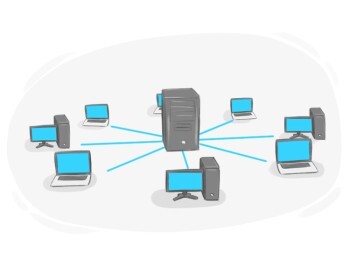
Ex: The spreadsheet software allows users to export data into various file formats such as CSV or Excel. 
Close
Sign in
to network

to link devices or computers in a way that they can send and receive information

Ex: Engineers networked the servers to enhance the efficiency of data processing. 
Close
Sign in
to process

to handle and work with data by operating on them in a computer

Ex: The computer program processed the input data, performing calculations and generating the desired output. 
Close
Sign in
to select
to select
[Verb]

(computing) to highlight or choose something on a computer screen

Ex: To open a file, first, select it from the list of documents in the file manager. 
Close
Sign in
CD-ROM
CD-ROM
[noun]

a disk that can be used in computers which is capable of holding a specific amount of unchangeable data
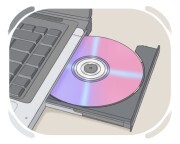
Ex: The software installation files are distributed on a CD-ROM for ease of distribution and installation. 
Close
Sign in
disk
disk
[noun]

(computing) a flat round object used to store data on

Ex: She saved the important files to an external disk to back them up in case of computer failure. 
Close
Sign in
mouse pad
mouse pad
[noun]

a piece of material designed to enhance the operation of a computer mouse by providing a smooth surface for better tracking and control

Ex: She bought a new ergonomic mouse pad to reduce strain on her wrist during long hours of computer work. 
Close
Sign in
processor
processor
[noun]

(computing) the part of a computer by which all programs work

Ex: The new computer featured a high-speed processor that significantly improved overall performance and multitasking capabilities. 
Close
Sign in
scanner
scanner
[noun]

a device that creates a digital copy of a document or photo and sends it to a computer

Ex: The office scanner was used to create electronic copies of important documents for easy sharing and storage. 
Close
Sign in
touchscreen

a display by which the user can interact with a computer, smartphone, etc. by touching its surface

Ex: The phone has a responsive touchscreen for easy navigation. 
Close
Sign in
webcam
webcam
[noun]

a camera connected to a computer that is used for recording or broadcasting videos of the user

Ex: The tech support agent asked the user to check their webcam to troubleshoot issues with the video call. 
Close
Sign in
geek
geek
[noun]

someone who has a great deal of knowledge and passion for computers and related topics

Ex: The tech company hired several geeks to develop innovative solutions for their latest product. 
Close
Sign in
metaverse
metaverse
[noun]

a virtual reality space that combines multiple digital environments and experiences

Ex: In the metaverse, users can create avatars to explore various virtual worlds and participate in digital events. 
Close
Sign in
LanGeek
Download LanGeek app