pattern

C1 Level Wordlist - Computer Science

Here you will learn some English words about computer science, such as "analog", "megabyte", "storage", etc. prepared for C1 learners.

Review

Flashcards

Forms

Spelling

Quiz

Start learning
CEFR C1 Vocabulary
accessible
accessible
[Adjective]

(of a place) able to be reached, entered, etc.
Ex: The hotel provides accessible rooms equipped with grab bars and widened doorways for guests with mobility challenges .
Close
Sign in
analog
analog
[Adjective]

relating to or using signals in which information is represented through constant changing of physical quantities

Ex: The radio station broadcasts using analog signals, reaching listeners across the region with its music and news programming.
Close
Sign in
antivirus
antivirus
[Adjective]

having the ability to protect a system from viruses by finding and destroying them

Ex: The IT department installed antivirus software on all company computers to prevent malware infections.
Close
Sign in
compatible
compatible
[Adjective]

having the ability to work with different devices, machines, etc.

Ex: The new software update ensures that files created in the latest version are compatible with older versions of the program .
Close
Sign in
down
down
[Adjective]

(of a computer system) not working temporarily or properly

Ex: The cloud storage service was down, temporarily restricting access to stored files and documents.
Close
Sign in
interactive
interactive
[Adjective]

describing the constant passage of data between a computer or other device and a user
Ex: The interactive whiteboard in the classroom enables teachers to create dynamic lessons that encourage student participation.
Close
Sign in
Bluetooth
Bluetooth
[noun]

the system through which different devices can be connected to each other over short distances wirelessly using radio waves

Ex: The wireless speaker connects to my phone via Bluetooth, so I can play music from anywhere in the room .
Close
Sign in
Blu-ray
Blu-ray
[noun]

a type of blue disk on which large data such as high-definition videos can be stored

Ex: The special edition box set includes all seasons of the TV series on Blu-ray, along with exclusive collectible items .
Close
Sign in
USB
USB
[noun]

the technology or system for connecting other devices to a computer

Ex: The USB hub provides additional ports for connecting multiple peripherals to the computer .
Close
Sign in
byte
byte
[noun]

a unit for measuring the size of computer data that equals 8 bits

Ex: The music track is stored in MP3 format and is 4 megabytes in size , translating to around 32 million bytes.
Close
Sign in
kilobyte
kilobyte
[noun]

a unit for measuring computer data that equals 1024 bytes

Ex: The game download is 100 megabytes , consisting of approximately 100,000 kilobytes of gaming content .
Close
Sign in
megabyte
megabyte
[noun]

a unit for measuring computer data that equals 1024 kilobytes

Ex: The game requires at least 500 megabytes of storage space on your device , which is equivalent to half a million kilobytes .
Close
Sign in
gigabyte
gigabyte
[noun]

a unit for measuring computer data that equals 1024 megabytes

Ex: The cloud storage service offers a plan with 1 gigabyte of storage space for free , with options to upgrade to larger capacities .
Close
Sign in
terabyte
terabyte
[noun]

a unit for measuring computer data that equals 1024 gigabytes

Ex: The high-definition video project required 3 terabytes of storage space to accommodate the large files .
Close
Sign in
backup
backup
[noun]

(computing) a copy of computer data that can be used to restore lost or damaged data

Ex: The external hard drive serves as a backup for important documents and photos , providing peace of mind in case of emergencies .
Close
Sign in
storage
storage
[noun]

the keeping of data on a computer, etc.

Ex: The smartphone comes with ample internal storage for storing apps , photos , and videos .
Close
Sign in
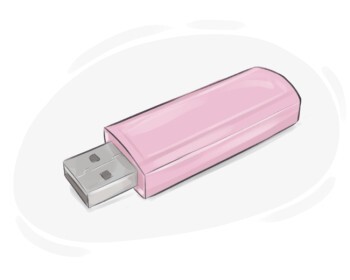
flash drive

a small device used for storing data or transferring data between electronic devices

Ex: The IT department distributed flash drives to employees for backing up their work files and documents .
Close
Sign in
hard disk drive

a disk on which data is stored, either inside or outside a computer

Ex: The technician replaced the faulty hard disk drive in the desktop computer to resolve the data corruption issues .
Close
Sign in
cyberspace

the non-physical space in which communication over computer networks takes place

Ex: The government has implemented regulations to ensure the safety and security of citizens in cyberspace.
Close
Sign in
data processing

a set of actions done on data by a computer to have a certain result
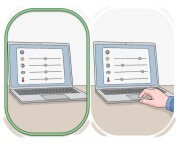
Ex: The course covers various techniques and methods used in data processing to prepare students for careers in data analytics and information management .
Close
Sign in
default
default
[noun]

a predefined option based on which a computer or other device performs a particular task unless it is changed

Ex: The default language on the operating system is English , but users can switch to other languages if needed .
Close
Sign in
cursor
cursor
[noun]

a movable mark on a computer screen that indicates where the user is working

Ex: You can change the appearance of the cursor in the system settings .
Close
Sign in
display
display
[noun]

an electronic device that visually presents data
Ex: The airport installed digital displays to show flight schedules and gate information.
Close
Sign in
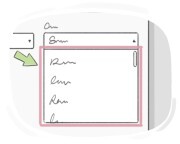
drop-down menu

a list that presents different options on a computer screen and remains there until one option is chosen by the user

Ex: The drop-down menu for sorting emails by date , sender , or subject is located in the inbox toolbar .
Close
Sign in
hacker
hacker
[noun]

someone who uses computers to illegally access someone else's computer or phone

Ex: Hackers often exploit software vulnerabilities to infiltrate computer systems .
Close
Sign in
help desk
help desk
[noun]

a service that gives information and support to the computer users, particularly those who work in the same place

Ex: The help desk offers guidance on software installation and configuration .
Close
Sign in
interface
interface
[noun]

(computing) the program through which a user can interact with a computer, especially its design and appearance

Ex: The company conducted usability testing to gather feedback on the interface design before launching the product .
Close
Sign in
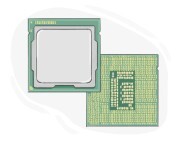
microprocessor

a very small piece of electronic equipment in a computer programed to control all the functions of the CPU

Ex: Consumer electronics like smart TVs or digital cameras incorporate specialized microprocessors to handle multimedia processing and user interfaces .
Close
Sign in
multimedia

the application of images, text, audio, and video files collectively
Ex: The multimedia department at the university offers courses in digital media production , graphic design , and audio engineering .
Close
Sign in
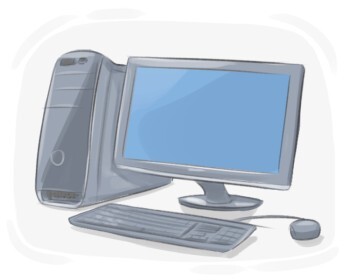
personal computer

a compact electronic device designed for individual use, capable of performing various tasks such as word processing, internet browsing, and multimedia applications

Ex: Despite the popularity of mobile devices, PCs remain essential for tasks that demand larger screens, ergonomic keyboards, and precise input devices.
Close
Sign in
workstation

a desktop computer that is connected to a network, which is more upgraded than a personal computer

Ex: Workstations in research laboratories are equipped with specialized software and peripherals for conducting experiments and analyzing data .
Close
Sign in
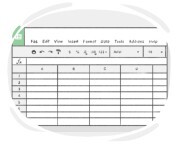
spreadsheet

a computer program used for calculating data, especially financial data

Ex: Engineers use a spreadsheet to perform structural analysis , calculate material requirements , and estimate costs for construction projects .
Close
Sign in
to computerize

to use computers to perform a task or do a particular job
Ex: The restaurant has computerized its ordering system to speed up service and reduce wait times .
Close
Sign in
to encode
to encode
[Verb]

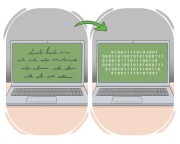
to transform data into a coded form

Ex: In digital communication , data is often encoded before transmission for error detection and correction .
Close
Sign in
to format
to format
[Verb]

(computing) to prepare a storage device, such as a hard drive or USB, for use by deleting all the data on it and setting it up for a specific file system

Ex: Be sure to back up all your files before you format your computer to avoid losing important data .
Close
Sign in
to load
to load
[Verb]

to move data or a program from a local storage device into the memory of a computer

Ex: The graphic designer will load high-resolution images into the design software for a print project .
Close
Sign in
to retrieve

to find and collect data stored on a computer
Ex: The forensic team was able to retrieve deleted files from the suspect 's computer .
Close
Sign in
to upgrade

to improve a machine, computer system, etc. in terms of efficiency, standards, etc.

Ex: The team has upgraded the website to improve user experience .
Close
Sign in
to game
to game
[Verb]

to play computer or video games

Ex: She loves to game as a way to unwind after a long day at work.
Close
Sign in
random-access memory

a type of computer memory tasked with temporarily storing data for a quicker access
Ex: Graphic designers benefit from ample RAM to work with large image files and render complex visual effects.
Close
Sign in
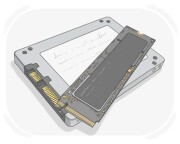
solid-state drive

a device fixed in a computer to store information, which retains data if power goes off and is much faster compared to a hard drive

Ex: Many users opt for SSDs in their desktop computers to benefit from faster data transfer speeds and reduced noise.
Close
Sign in
Domain Name System

a decentralized naming system used on the Internet to translate human-readable domain names into numerical IP addresses that computers can understand, enabling the proper routing of data between devices and servers

Ex: DNS caching improves performance by storing recent DNS lookup results locally, reducing the time required to resolve domain names.
Close
Sign in
LanGeek
Download LanGeek app