

pattern

Advanced Vocabulary for TOEFL - The Computer World

Here you will learn some English words about the computer world, such as "binary", "boot", "cpu", etc. that are needed for the TOEFL exam.

Review

Flashcards

Forms

Spelling

Quiz

Start learning
Advanced Words Needed for TOEFL
cyberspace

the non-physical space in which communication over computer networks takes place

Ex: With the rise of social media platforms, interactions in cyberspace have become increasingly common. 
Close
Sign in
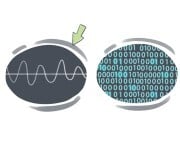
analog
analog
[Adjective]

relating to or using signals in which information is represented through constant changing of physical quantities

Ex: The record player uses analog technology to reproduce sound from vinyl records. 
Close
Sign in
binary
binary
[Adjective]

based on or using a numerical system that operates only on 0 and 1

Ex: The binary system is fundamental to digital technology and computing. 
Close
Sign in
to archive

(computing) to move important information or information that is not often needed to a different disk, tape, or another computer to store it, sometimes as a security measure

Ex: The IT department archived old emails to free up server space. 
Close
Sign in
backup
backup
[noun]

(computing) a copy of computer data that can be used to restore lost or damaged data

Ex: It's important to create regular backups of your files to prevent data loss in case of a computer crash. 
Close
Sign in
backslash
backslash
[noun]

the symbol (\), used in some computer commands

Close
Sign in
backspace
backspace
[noun]

(in a computer, phone, etc.) a key on the keyboard used to erase the last letter or go backward

Close
Sign in
function key

each of the several keys at the top of a computer keyboard marked with (F) and a number that make the computer perform particular operations

Close
Sign in
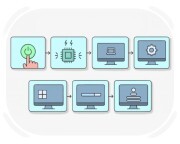
to boot
to boot
[Verb]

to start a computer, typically involves setting up hardware elements to prepare the computer for use

Ex: She booted her laptop, eager to dive into her latest writing project. 
Close
Sign in
bot
bot
[noun]

a computer program that automatically performs tasks over the internet

Close
Sign in
cache
cache
[noun]

(computing) a type of computer memory in which information that is often in use can be stored temporarily, a cache can be accessed quickly and is needed while a program is running

Ex: The computer's cache helped speed up the program's performance. 
Close
Sign in
clipboard
clipboard
[noun]

(computing) a temporary storage area for data that has been copied or cut

Ex: She copied the text to the clipboard for easy pasting. 
Close
Sign in
byte
byte
[noun]

a unit for measuring the size of computer data that equals 8 bits

Ex: The text file is 1 megabyte in size, which is equivalent to 8 million bytes. 
Close
Sign in
motherboard

(in electronic devices such as computers, etc.) the main printed circuit board that makes it possible for all the parts of a computer to communicate

Ex: If the motherboard breaks, the whole computer may stop working. 
Close
Sign in
on-board
on-board
[Adjective]

built into or functioning within a main system or device, especially in electronics

Ex: The phone has 128GB of on-board storage. 
Close
Sign in
pixel
pixel
[noun]

the smallest unit of an image on the screen that collectively can form a whole image

Close
Sign in
disk drive

a device that allows the computer to read the data on a computer disk and transfer data to or from it

Close
Sign in
driver
driver
[noun]

a software that controls the interaction between a computer and another equipment, such as a printer or scanner

Close
Sign in
clock speed

the speed at which a computer can process information, expressed in (MHz)

Ex: The new processor boasts a clock speed of 3.6 GHz. 
Close
Sign in
firmware
firmware
[noun]

(computing) a type of software stored in a way that it cannot be modified or erased

Ex: The router's firmware was updated to fix security vulnerabilities. 
Close
Sign in
malware
malware
[noun]

a software designed to disrupt or damage the computer without the user knowing

Close
Sign in
compatibility

the ability of a computer, software, or equipment to work with another device or software

Ex: Check the software's compatibility before installing it on your computer. 
Close
Sign in
configuration

the set-up, hardware, and software of a computer that makes a complete system

Ex: The IT team updated the computer’s configuration for better performance. 
Close
Sign in
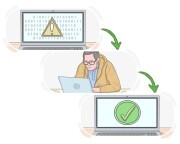
to debug
to debug
[Verb]

(computing) to detect and remove faults in a software

Ex: The software developer spent hours debugging the program to identify and fix the errors. 
Close
Sign in
to format
to format
[Verb]

(computing) to prepare a storage device, such as a hard drive or USB, for use by deleting all the data on it and setting it up for a specific file system

Ex: I need to format my external hard drive before transferring files to it. 
Close
Sign in
back end
back end
[noun]

a part of a computer responsible for storing and controlling data where users cannot easily access

Ex: The back end of a website comprises the server, database, and application logic that work together to process and store data submitted by users. 
Close
Sign in
front end
front end
[noun]

a part of a computer that is easily accessible and one uses constantly

Ex: The front end of a computer typically refers to the user interface, including the monitor, keyboard, mouse, and other input devices. 
Close
Sign in
interface
interface
[noun]

(computing) the program through which a user can interact with a computer, especially its design and appearance

Ex: The interface of the new software is user-friendly and intuitive, making it easy for beginners to navigate. 
Close
Sign in
hack
hack
[noun]

an adjustment of the codes of a computer program that solves a problem in a quick way

Ex: The developer created a clever hack to fix the bug in just a few minutes. 
Close
Sign in
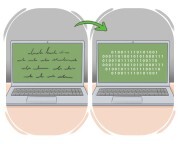
to encode
to encode
[Verb]

to transform data into a coded form

Ex: Computer programmers encode sensitive information to protect it from unauthorized access. 
Close
Sign in
to encrypt

to convert data or information into a coded form, mainly to prevent unauthorized access

Ex: The company encrypts sensitive customer data to protect it from hackers. 
Close
Sign in
interactive
interactive
[Adjective]

describing the constant passage of data between a computer or other device and a user

Ex: The educational software offers interactive lessons that engage students in active learning. 
Close
Sign in
to time out

(computing) to cancel an operation or to turn off the computer automatically because a predefined interval of time has passed without a certain event happening

Close
Sign in
open-source
open-source
[Adjective]

(computing) describing a computer program whose source code is available to everyone

Ex: The team decided to use an open-source software for the new project. 
Close
Sign in
local area network

a network for communication between computers, usually within a building

Ex: A local area network (LAN) is a network that connects computers and devices within a limited geographical area, such as a home, office, or school. 
Close
Sign in
modem
modem
[noun]

an electronic device that uses telephone lines to send and receive data between two computers

Ex: The modem stopped working, so we lost internet access. 
Close
Sign in
graphical user interface

the visual interaction that users have with the computer through icons, menus, etc.

Ex: The software update included a new graphical user interface. 
Close
Sign in
central processing unit

the part of a computer where operations are controlled and executed

Close
Sign in
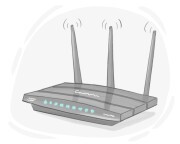
router
router
[noun]

an electronic device that connects computer networks and sends data between networks

Ex: The router distributes the internet connection to all devices in the home. 
Close
Sign in
LanGeek
Download LanGeek app