pattern

Essential Vocabulary for TOEFL - The Computer World

Here you will learn some English words about the computer world, such as "hardware", "input", "crash", etc. that are needed for the TOEFL exam.

Review

Flashcards

Forms

Spelling

Quiz

Start learning
Essential Words Needed for TOEFL
software
software
[noun]

the programs that a computer uses to perform specific tasks

Ex: She installed new software to help design her website. 
Close
Sign in
hardware
hardware
[noun]

the physical and electronic parts of a computer or other similar system

Ex: The technician replaced the faulty hardware to fix the computer. 
Close
Sign in
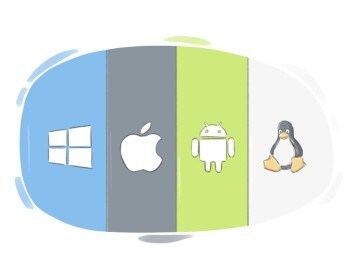
operating system

the most fundamental software that manages a computer, cell phone, etc., hardware and provides a platform for running applications
Ex: The operating system controls how the computer runs and manages applications. 
Close
Sign in
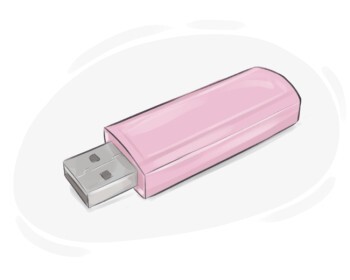
flash drive

a small device used for storing data or transferring data between electronic devices
Ex: I transferred the presentation to a flash drive so that I could easily share it with my colleagues. 
Close
Sign in
to install

to add a piece of software to a computer system

Ex: I need to install the latest version of Microsoft Office on my computer for work. 
Close
Sign in
input
input
[noun]

(computing) the act of inserting information into a computer
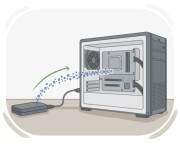
Ex: The user typed text into the computer, providing input that the word processor used to create a document. 
Close
Sign in
to load
to load
[Verb]

to move data or a program from a local storage device into the memory of a computer

Ex: The software engineer needs to load the updated application into the server for testing. 
Close
Sign in
to refresh

(computing) to update a display, internet page, etc. and make the most recent information appear
Ex: You need to refresh the browser to view the updated content. 
Close
Sign in
server
server
[noun]

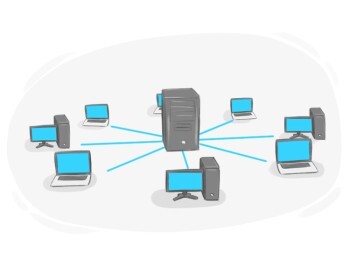
a computer that gives other computers access to files and information in a network

Ex: The company's server stores all employee files and emails. 
Close
Sign in
database
database
[noun]

a large structure of data stored in a computer that makes accessing necessary information easier
Ex: The company's customer database contained detailed records of all client interactions and transactions. 
Close
Sign in
desktop
desktop
[noun]

an area on a computer where the icons of programs are displayed

Ex: The file shortcut is saved on the desktop. 
Close
Sign in
cursor
cursor
[noun]

a movable mark on a computer screen that indicates where the user is working
Ex: Move the cursor to the desired location and click to select. 
Close
Sign in
to upgrade

to improve a machine, computer system, etc. in terms of efficiency, standards, etc.

Ex: The company upgrades its software regularly to enhance performance. 
Close
Sign in
compatible
compatible
[Adjective]

having the ability to work with different devices, machines, etc.

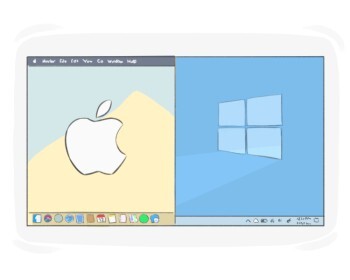
Ex: The new printer is compatible with both Windows and Mac operating systems, ensuring flexibility for users. 
Close
Sign in
to crash
to crash
[Verb]

(computing) to suddenly stop working

Ex: The application crashed while he was saving his work, causing him to lose unsaved data. 
Close
Sign in
down
down
[Adjective]

(of a computer system) not working temporarily or properly

Ex: The company's website was down for maintenance, causing inconvenience for online shoppers. 
Close
Sign in
to run
to run
[Verb]

(of computer programs) to function and execute its tasks
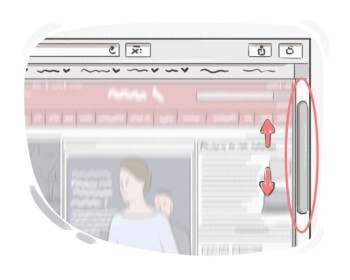
Ex: The computer system administrator scheduled the maintenance task to run during off-peak hours. 
Close
Sign in
to scroll
to scroll
[Verb]

to move what is being displayed on a computer or smartphone screen up or down to see different parts of it
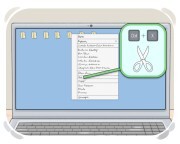
Ex: He scrolled down the webpage to read the full article. 
Close
Sign in
to cut
to cut
[Verb]

to remove part of a digital text in order to put it elsewhere

Ex: She cut a paragraph from her essay and pasted it into the conclusion section. 
Close
Sign in
command
command
[noun]

an instruction that tells a computer to perform a specific task or function
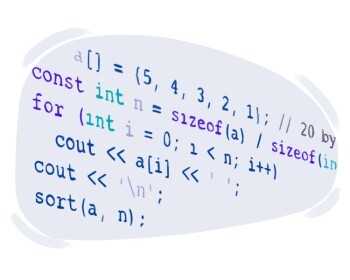
Ex: She entered the command to save the document before closing the application. 
Close
Sign in
to code
to code
[Verb]

to write a computer program using specific instructions

Ex: She coded a new software application to automate tasks at work. 
Close
Sign in
to computerize

to use computers to perform a task or do a particular job

Ex: The company decided to computerize its inventory management system to improve efficiency. 
Close
Sign in
to back up

to make a copy of computer digital data

Ex: I'll back up my important documents before the software update. 
Close
Sign in
data processing

a set of actions done on data by a computer to have a certain result

Ex: The company invested in advanced data processing software to streamline its operations and improve efficiency. 
Close
Sign in
artificial intelligence

a field of science that deals with creating programs able to learn or copy human behavior

Ex: This chatbot is powered by advanced artificial intelligence. 
Close
Sign in
firewall
firewall
[noun]

(computing) a computer program whose task is providing protection against cyber attacks by limiting outside access of data

Ex: The company installed a firewall to prevent hackers from accessing sensitive data on its internal network. 
Close
Sign in
antivirus
antivirus
[Adjective]

having the ability to protect a system from viruses by finding and destroying them

Ex: The new antivirus software boasts advanced features for protecting systems from malicious viruses and malware. 
Close
Sign in
machine learning

a branch of artificial intelligence where computers learn how to perform specific operations without previous instructions

Ex: Machine learning powers the recommendation engine on the streaming platform. 
Close
Sign in
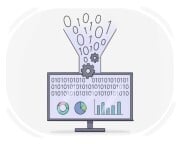
programming

the process of writing a computer program
Ex: She learned programming to create custom software applications for her business. 
Close
Sign in
to process

to handle and work with data by operating on them in a computer

Ex: The computer program processed the input data, performing calculations and generating the desired output. 
Close
Sign in
virtual reality

an artificial environment generated by a computer that makes the user think what they are seeing or hearing is real, by using a special headphone and a helmet that displays the generated environment
Ex: Virtual reality allows users to explore immersive 3D worlds. 
Close
Sign in
passcode
passcode
[noun]

a specific group of letters, numbers, etc. that one needs to enter in order to access a computer or smartphone
Ex: He quickly entered his passcode to unlock his smartphone and check the messages. 
Close
Sign in
application

a computer program designed to perform a specific task for a user
Ex: I installed a photo editing application on my laptop. 
Close
Sign in
random-access memory

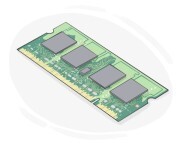
a type of computer memory tasked with temporarily storing data for a quicker access

Ex: The new gaming laptop boasts 16GB of RAM for smooth multitasking and faster loading times. 
Close
Sign in
developer
developer
[noun]

a person or company that designs and produces applications, video games, etc.

Ex: The developer released a new update for the popular app. 
Close
Sign in
LanGeek
Download LanGeek app