
واژگان برای IELTS Academic (نمره 5) - کامپیوتر
در اینجا، شما برخی از کلمات انگلیسی مربوط به کامپیوتر را یاد خواهید گرفت که برای آزمون آیلتس آکادمیک پایه ضروری هستند.
مرور
فلشکارتها
صورتها
املای کلمه
آزمون


to be able to use the information from a computer system, network, database, etc.

دسترسی پیدا کردن (اطلاعات), دسترسی داشتن

a screen that shows information or images generated by a computer
نمایشگر, مانیتور

a type of image file that uses lossless compression to reduce file size without compromising image quality
گیف

an error or fault in a computer program, system, etc.
اشکال نرمافزاری, گیر، باگ
او یک باگ در برنامه گزارش داد که منجر به محاسبات نادرست در حین پردازش دادهها شد.

(computing) a small picture on a computer screen, etc. representing a program that when clicked will start running
آیکون (رایانه), نماک
او با تغییر آیکونهای برنامههای مختلف، تلفنش را شخصیسازی کرد تا بیشتر با سبکش همخوانی داشته باشد.

the technology or system for connecting other devices to a computer
یواسبی فلش درایو, فلشمموری
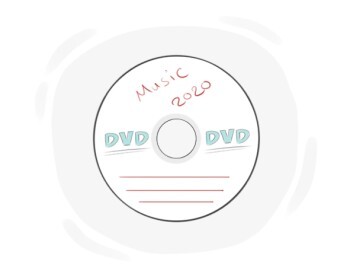
a type of disc used to store a lot of files, games, music, videos, etc.
دیویدی
او یک دیویدی از کتابخانه قرض گرفت تا در آخر هفته تماشا کند.
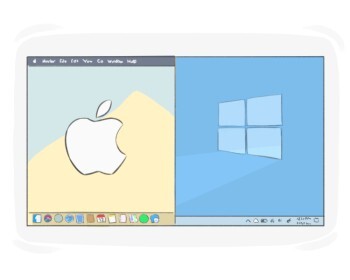
the main computer screen area where icons representing files, programs, and other features are displayed
میزکار, دسکتاپ
(computing) a temporary storage area for data that has been copied or cut
کلیپبورد
برای جابجایی فایل، ابتدا باید آن را در کلیپبورد قرار دهید.
(computing) a type of computer memory in which information that is often in use can be stored temporarily, a cache can be accessed quickly and is needed while a program is running
حافظه پنهان
پاک کردن کش میتواند مشکلات بارگذاری کند صفحات وب را حل کند.

a camera connected to a computer that is used for recording or broadcasting videos of the user
وبکم
او تنظیمات وبکم را برای بهبود کیفیت ویدیو قبل از شروع جلسه مجازی تنظیم کرد.
a picture that appears on the computer screen after a few minutes of inactivity
محافظ صفحه نمایش, صرفهجو صفحه
او یک عکس از گربهاش را به عنوان محافظ صفحه تنظیم کرد.
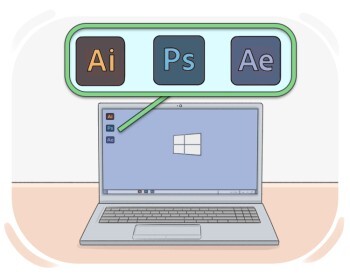
the programs that a computer uses to perform specific tasks
نرمافزار
شرکت یک نرمافزار سفارشی برای مدیریت موجودی خود توسعه داد.
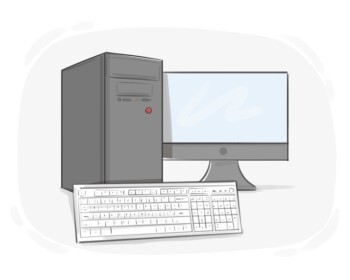
the physical and electronic components of a computer or other electronic system
سختافزار, اجزای فیزیکی رایانه
(in electronic devices such as computers, etc.) the main printed circuit board that makes it possible for all the parts of a computer to communicate
مادربورد
تکنسین مادربرد آسیبدیده را تعویض کرد.
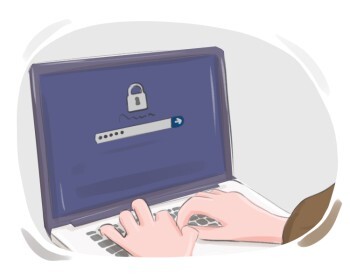
the act of entering or starting to use a computer system or an online account
ورود به سیستم, ثبت ورود، لاگین
سیستم قبل از اینکه بتوانید به داشبورد دسترسی پیدا کنید، نیاز به ورود دارد.
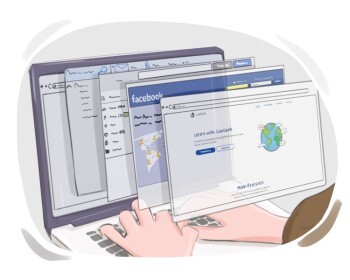
to check a web page, text, etc. without reading all the content
جستوجو کردن (در اینترنت), جستهگریخته خواندن
او ساعتها در اینترنت جستجو کرد، به دنبال اطلاعاتی درباره موضوع مورد علاقهاش.
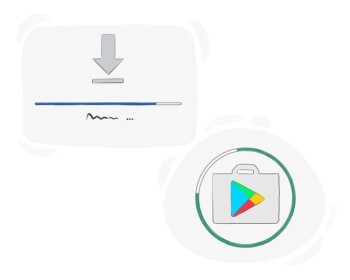
to add a piece of software to a computer system
نصب کردن

to remove a software program from a device or system
حذف کردن, آننصب کردن
او بازی را حذف کرد تا فضا آزاد کند.
to turn a system off and on again
بازنشانی کردن, راهاندازی مجدد
برای عیبیابی اتصال وایفای، او روتر را ریست کرد.

to create a number of copies of a newspaper, magazine, book, etc.
چاپ کردن, پرینت کردن
to put a copy of the desired digital file in a location
ذخیره کردن (فایل)
the act of turning off a computer or device
خاموش کردن, قطع
خاموش کردن سیستم چند ثانیه طول کشید.

to prepare a digital storage device for storing data by setting up a particular file system or data structure
فرمت کردن, آمادهسازی برای ذخیرهٔ داده
to alter or manipulate an image using Adobe Photoshop or a similar digital editing software
فوتوشاپ کردن
معمول است که سلفیها را قبل از پست کردن در شبکههای اجتماعی فتوشاپ میکنند.
(computing) to update a display, internet page, etc. and make the most recent information appear
ریفرش کردن (صفحه کامپیوتر)
بعد از اینکه پست جدید ظاهر شد، او فید خود را تازه کرد تا آخرین بهروزرسانیها را ببیند.
to insert copied or cut content at a specified location
چسباندن, درج کردن
برای به اشتراک گذاشتن مقاله با همکارانش، او لینک را در چت گروهی چسباند.
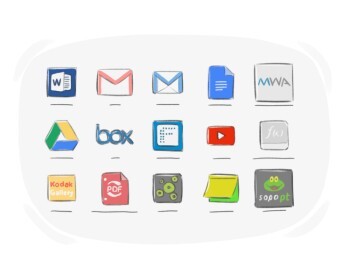
a computer program designed to perform a specific task for a user
برنامه, اپلیکیشن
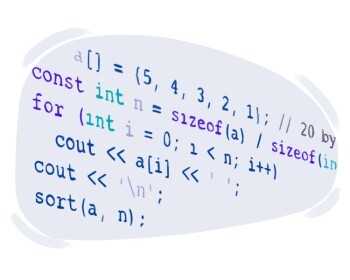
to write a set of codes in order to make a computer or a machine perform a particular task
به کامپیوتر یا سیستم خاصی برنامه دادن, برنامهنویسی کردن
| واژگان برای IELTS Academic (نمره 5) | |||
|---|---|---|---|
| Education | تحقیق | نجوم | فیزیک |
| زیستشناسی | شیمی | زمینشناسی | روانشناسی |
| ریاضیات | نمودارها و شکلها | هندسه | محیط زیست |
| انرژی و قدرت | مناظر و جغرافیا | فناوری | کامپیوتر |
| اینترنت | تولید و صنعت | تاریخ | Religion |
